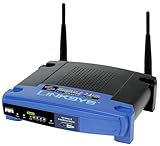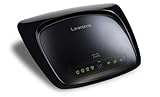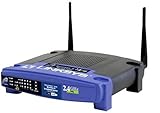
DD-WRT with Linksys WRT54G2


My 5 years old Netgear (WGR614v2) router started dropping wireless connections which made me really annoyed. So I finally decided to buy a new wireless router.

It was a very difficult decision to decided which wireless router, but since I wanted to try the DD-WRT firmware and it was most likely supported in Linksys router series , I started searching WRT54G models. But then there were several WRT54G series which made me confusing.

After spending some time to compare models I bought WRT54G2. It appears that WRT54GL is the most compatible router with DD-WRT, but I chose the G2 because I thought it was the most recent version of the WRT54G series and comes with the best quality which was an incorrect assumption. But most of all, G2 was cheaper than GL about 10 bucks around 45 bucks.

Ok, so I tested the wireless connection out of the box without DD-WRT, and it was working nice, not dropping any connection even if I visited graphic intensive websites.

And then I performed the DD-WRT firmware setup for WRT54G2 using this URL – Linksys WRT54G2 Flash Instructions from DD-WRT.COM website.

You will have to be really careful and closely follow the instruction. Otherwise you will brick your router which means corruptting the router and it will not operate normally again. During the process, you will upload three files one by one and the router will reboot each time. Unlike the instruction, my router didn’t reboot by itself after each data file uploading. So I manually rebooted the router. Just make sure that you wait enough time (usually about 5 mins) before you manually reboot as mentioned in the instruction

Please note that only DD-WRT micro version is supported for WRT54G2. Also there is no way to revert it back to the original Linksys firmware as of this writing. If you are considering to purchase Linksys wireless router to try DD-WRT, make sure you buy better routers such as WRT54GL which supports full DD-WRT version. For the complete supported device list , check out HERE.

Luckily, it appeared that I successfully updated the firmware that I was able to login to admin website by connecting http://192.168.1.1 . The default ID is blank and Password is ‘admin’.

Everything looked very nice, even though it was micro version, there are more options than I needed. What I really liked about the firmware were the wireless client connection status and graphical bandwidth usage page. It provides detailed information about the current status of the routing that I really loved it.

However, it seemed that the wireless connecting quality was degraded compared to the original Linksys firmware. Connection became unstable and slower than before. I tried everything googling everywhere but the quality did not improved as I hoped.

Now I wanted to go back to original Linksys firmware, but I found out that there was no way to go back as of now. There was only one way. To wait until the developers come out with the solution to revert back to the original state.

I was terrified and felt really bad of myself installing DD-WRT without checking out more carefully. I searched all the website intensibly for the solution to stabilize my wireless connection and tried every possible wireless options.

And finally I have the wireless connection stabilized and now I am so relieved that I didn’t waste my money. I will show my DD-WRT settings in the next blog entry.

Thank you for reading my blog and enjoy!

Here are the setup procedure and other resource links related to DD-WRT. Please make sure you read them all thoroughly before installing DD-WRT.

Here is my next blog article on the tuning the settings.

Tuning DD-WRT to use with Linksys WRT54G2

Share and Enjoy:
  • Digg
  • del.icio.us
  • Facebook
  • Mixx
  • Google Bookmarks
  • MySpace
  • Reddit
  • Technorati
  • Twitter

, ,

My favorite listmania

Headphones and In-Ear Monitors with volume and play controls

$361.42
Shure SE530PTH Sound Isolating Earphones with Push-To-Hear Control - The Shure SES30PTH sound isolating earphones performed as expected. Of course they do not isolate all background sounds, but they do reduce it quite a bit if you have a good seal with the earpieces a...
$499.95
Sennheiser MX W1 Totally Wireless Earphone - Great sound quality and top of the line blue tooth technology make these earbuds a force to be reckoned with. It would be nice if there was yet another adapter for the ear lock, as it seems mine fall ...
$220.29
Etymotic Research Ety8 Bluetooth Stereo Wireless In-Ear Earphones - Normally I buy headphones on the cheap side--it was a big deal when I first went over the $10-15 dollar range. Recently I've gotten the same $30 pair two or three times, replacing them when they inev...
$142.77
Etymotic Research HF2 Earphones / Headset (iPhone Compatible) - Black - Was looking for a headset w/ mic for my smartphone, but also wanted some type of noise-cancellation technology built in. Didn't really find what I was looking for but a friend suggest this. Original...
$12.61
Sony MDR-E829V Fontopia Earbuds with In-line Volume Control - These ear buds sound and work great especially with the volume control slider which makes it a cinch to control the volume without touching your player. They are more comfortable without the supplied ...
$14.76
Koss KTXPRO1 Titanium Portable Headphones with Volume Control - The Koss KTXPRO1 headphones are a very good buy for the money. The sound is excellent, with more bass (but not too much) than Sony's. I use the volume control a lot more than I thought I would, & now ...
$19.95
Sony MDRG58V Street Style Headphone with Volume Control - I honestly have no idea what other people are complaining about--none at all. Some of these reviews are old, so maybe changes have been made to these since I got them almost two years ago...? The pict...
JVC Lightweight Headphone with Volume Control (Black) - These headphones have great sound, and the volume control is very, VERY convenient. The downside to these headphones for me is the fit. They do not seem snug enough over my head, and move a bit when...
Panasonic RP-HX32 2-way Style Earbud Headphones with In-cord Volume Control - I listen to audiobooks only, no music, but find the sound reproduction to be very clear and they are very comfortable to wear. I wear them for hours every day with no problems. Very good product.
Griffin SmartShare Headphone Splitter with Individual Volume Control White - This product is affordable and works-as-designed. The individual volume controls work well. I found this product useful when I was traveling via plane and we wanted to share the audio while watching...
Shure EA650 Volume Control for Shure E/SE Series Sound Isolating Earphones - I use this to make my ipod/itunes very very soft as I need it so for Tinnitus Retraining Therapy and it works well.
$79.99
Sennheiser MX55VC Twist-To-Fit In-Ear Stereo Headphones w/ Volume Control - I am a life-long jogger and looked and looked for ear phones that were comfortable and would stay in my ears. These are the best earphones for jogging and they also sound great and are water proof. Th...
$11.99
Panasonic RP-HV280 Portable Earbud Headphones with In-Cord Volume Control - The ear buds fit nicely, and the sound is good. I bought them for the in-line volume control, and was pleasantly surprised by both the quality (they are heavy and don't feel cheap) and the sound. Gr...
AKG K 14 P Earbuds with In-Line Volume Control - You think you can not get a good earbud at this price? You are wrong! When it comes to AKG K14/K314, you are at the right place! This is a very inexpensive, but very nice sound quality earbud. The det...
$9.39
Koss P9 In-Ear Headphones with Volume Control - They do not fit well. Hurts the ear when used for a little while. The phones ends are plastic rather than rubber not very comfortable especially used while working out.
Sennheiser HD 435 Versatile Open-Aire Ultra-Light Supraural Headphone w/ Volume Control - Well I've had these headphones now for little over a month and they are alright. They aren't great mind you but the sound is good, the volume control function is great which is the reason I bought the...
Too low to display
V-MODA Vibe Duo Earbud Headset (Chrome, iPhone Compatible) - These earphones were great for my iphone 3G, but they create a constant clicking sound on the iphone 4 and are usless with it. If you look at online forums it is a common problem. These earphones a...
$12.04
Monster MusicShare Headphone Y-Splitter with Volume Control/Mute for Zune - Looking for a Y-connector for headsets to use with an iPod or other MP3 player or with a laptop? Consider the following product, which is on another Amazon web page:

Monster AICYP 200 ...
Turbo Earhugger TV-6000 Headphone - I may have smaller ears than most adults, because every other earbud on the market is painful and refuses to stay in place for me. These are entirely comfortable and have enough flex that the buds can...
$11.95
Ear Bud with Play/Stop Controller and Microphone for Apple iPhone (Black) - It only took a month before the ear buds started to fall apart. The sound quality was non-existant as two tin cans would have sounded better. The buds were comfortable while they lasted but poor con...
Sennheiser MX 660 Silver Earbuds with Volume Control and Cable Winder ?(Silver) - Great set of phones with a nice rich, deep bass sound. Why are you still wear those white buds?
$54.99
Shure PTH Push To Hear Control for Sound Isolating Earphones - I am buying a second of these cables for my se430 (in addition to my se530). I love it. Really great to block out load mouths in your work area. When the boss comes by your cubicle to ask about you...
$55.48
Maximo iP-HS1 iMetal Stereo Headset for iPhone (White,Silver) - I loved this headset. The earbuds were comfortable, and the mic was decent. The placement of the mic/button along the cord was good as well. However, as another reviewer said, the small, round, rub...
  1. #1 by TG at January 8th, 2009

    Nice artikle perfektly written.. gud Job Hana, Sarah :p

  2. #2 by phillip at April 23rd, 2009

    Ver good atricle. Please share your DD-WRT Settings.

  3. #3 by HanaDaddy at April 23rd, 2009

    @Phillip, Thank you. I have written another blog regarding tuning the DD-WRT settings. Hope it helps

  4. #4 by Mostak at October 5th, 2009

    hey dude. nice blog.
    i had exactly the same frustation as you.
    you know if it’s already possible to go back?!
    thanks in advance.

  5. #5 by HanaDaddy at October 5th, 2009

    Mostak , Actually my advice is not to try the restore back to original Linksys Firmware.

    1. There is a specific warning on DD-WRT website =>
    * WARNING: It is currently not possible to restore Linksys firmware after DD-WRT has been flashed. The only possibility is a full JTAG backup.
    So if you don’t have the JTAG backup , there is no way to go back.

    2. Even if you do have the backup, it’s just that there is too much risk and bricking the hardware. You know we are lucky that we succeeded installing DD-WRT in the first place.

    So, try to enjoy DD-WRT, I don’t have any problem with it and I like those nice graphs on the bandwidth. :)

(will not be published)
  1. No trackbacks yet.
Quick Coupons!
Abe's of Maine: Actually , if you buy a product more than $75, you can use FRIEND10 coupon code to get extra $10 off!