Archive for category System Utilities
Restore or Completely Delete : double edged Recuva
Posted by HanaDaddy in Software, System Utilities on May 21st, 2009
Do you need to recover the deleteted homework or important office document? Please relax, we have Recuva.
Today, I am going to introduce ‘Recuva’ (supposedly pronounce it as ‘RECOVER’) . It is from the maker of the famous free software CCleaner, Piriform. Recuva is a freeware utility to restore the deleted files including the ones completey emptied from the Recycle bin.
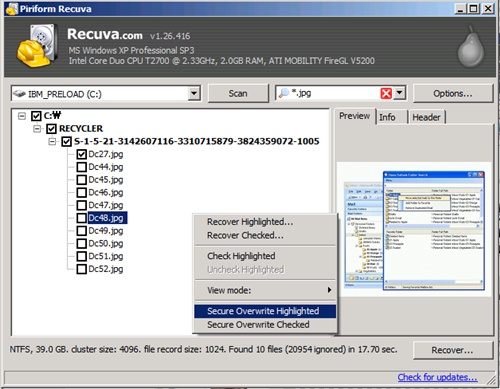
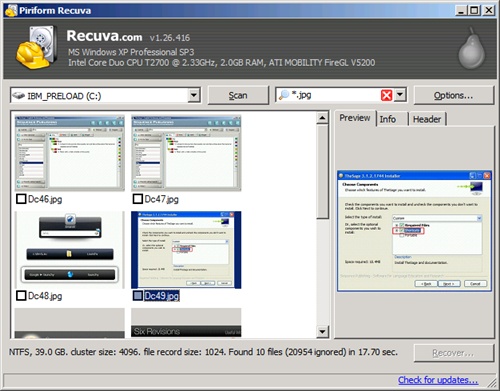
The interface is very simple and intuitive that anybody can perform the quick restoration. It provides three types of familiar interface , list view,tree view, and Thumbnails view. Of course , with the Thumbnails view, it shows preview for the image files. If you want to navigate using the folder structure, try tree view. When you want to recover files , select the files first and then right click to click on the ‘Recover …’ menu.
![]()

There is a search field on the top so you can easily search the file name or path.
The last item I want to talk about is the ‘Secure Overwrite’ function which is directly opposite function of ‘Recover’. It will completely delete the file, so the files won’t be recovered.
‘Recuva’ is FREE , fast , simple, easy to navigate. You can either RECOVER or COMPLETELY REMOVE the deleted files. I mean this is so simple but yet powerful , I would not want any other RECOVERY program!
Website: http://www.recuva.com/
Free Text Editors
Posted by HanaDaddy in Software, System Utilities on May 20th, 2009
Make sure to check out this blog from sixrevisions.com ‘12 Excellent Free Text Editors for Coders’. To someone who uses text editor everyday like me, it is an amazing list of complete freeware text editors. Actually I am using UltraEdit mainly which is not free. My company is using it. But my favorites are Crimson Editor and ConText. I guess I like them because they are very similar to UltraEdit. But NOTEPAD++ is also very popular.
Also there is another one not mentioned in the list. It’s ‘InType’, it is supposed to be ‘TextMate’ kind of text editor for Windows. The latest version is alpha and not have been in development since 2007, but if you like Mac’s TextMate, you might want to try.
If you are looking for more professional programing editor, you may want to try Eclipse. It is a development IDE and the size is big (over 200MB). Here is the link to PHP version (Eclipse-PDT project). The greatest thing about Eclipse is that it’s a full development platform which is free and supports almost perfect Code Completion. Check out my article on the Eclipse PHP Code Completion.
Thank you for visiting Hana & Sarah’s Freeware Blog.

Recent Comments